

Nano Banana Pro prompt guide: prompts that actually work
Most bad AI images start with the same mistake: the prompt tries to sound impressive instead of useful.
Nano Banana Pro responds best when you write like a creative director giving a short brief. Google Cloud's Nano Banana prompting guide says the same thing in a more technical way: be specific, control the camera and composition, describe the scene narratively, and refine the image through follow-up prompts.
This guide is built around that idea. Fewer prompts, more intent, and a result preview for each one.
The prompt structure I use
A strong prompt usually has six parts:
- Subject: the product, person, object, or scene that matters most.
- Action or use case: product hero, UGC still, influencer ad, splash shot, lookbook, poster.
- Setting: background, surface, props, room, podium, couch, water, ice.
- Composition: aspect ratio, framing, pose, where the subject sits in the image.
- Light and camera: studio lighting, daylight, backlight, 85mm lens, smartphone selfie, macro detail.
- Finish: color grade, texture, realism level, editorial mood, social platform aesthetic.
You do not need a huge paragraph. You need a clear one.
Example 1: premium skincare editorial
Prompt
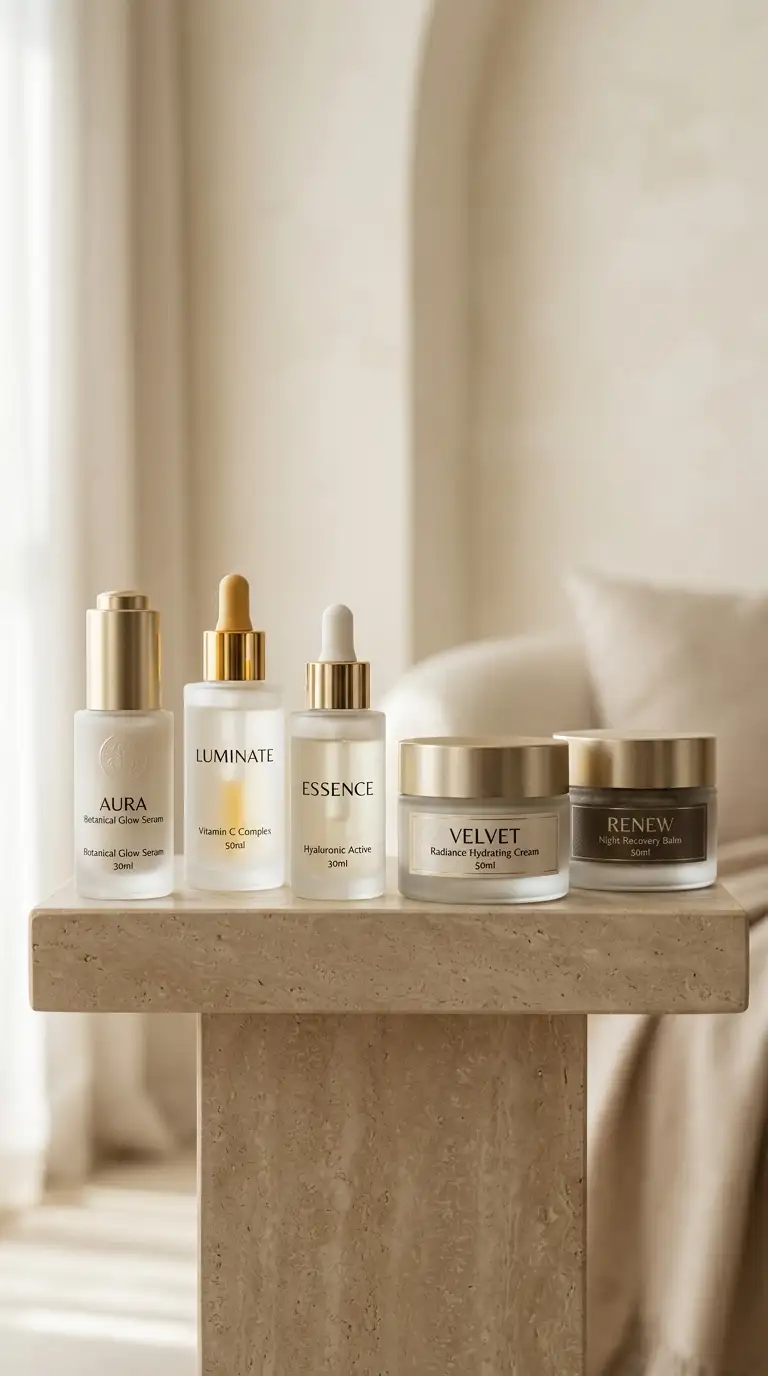
Premium skincare products, frosted glass serum bottles and luxurious moisturizing creams elegantly arranged on a podium. Modern, clean, sophisticated lighting, soft shadows, set against a pale cream and soft beige backdrop. High-end beauty editorial photography, extremely detailed.
Result
Why this works
This is a clean product brief. It defines the category, materials, arrangement, background, light, and editorial finish. The result feels like a beauty campaign because the prompt makes the set design clear.
Example 2: UGC try-on still
Use this when you want an image that feels like a frame from a TikTok or Instagram try-on video.
Prompt
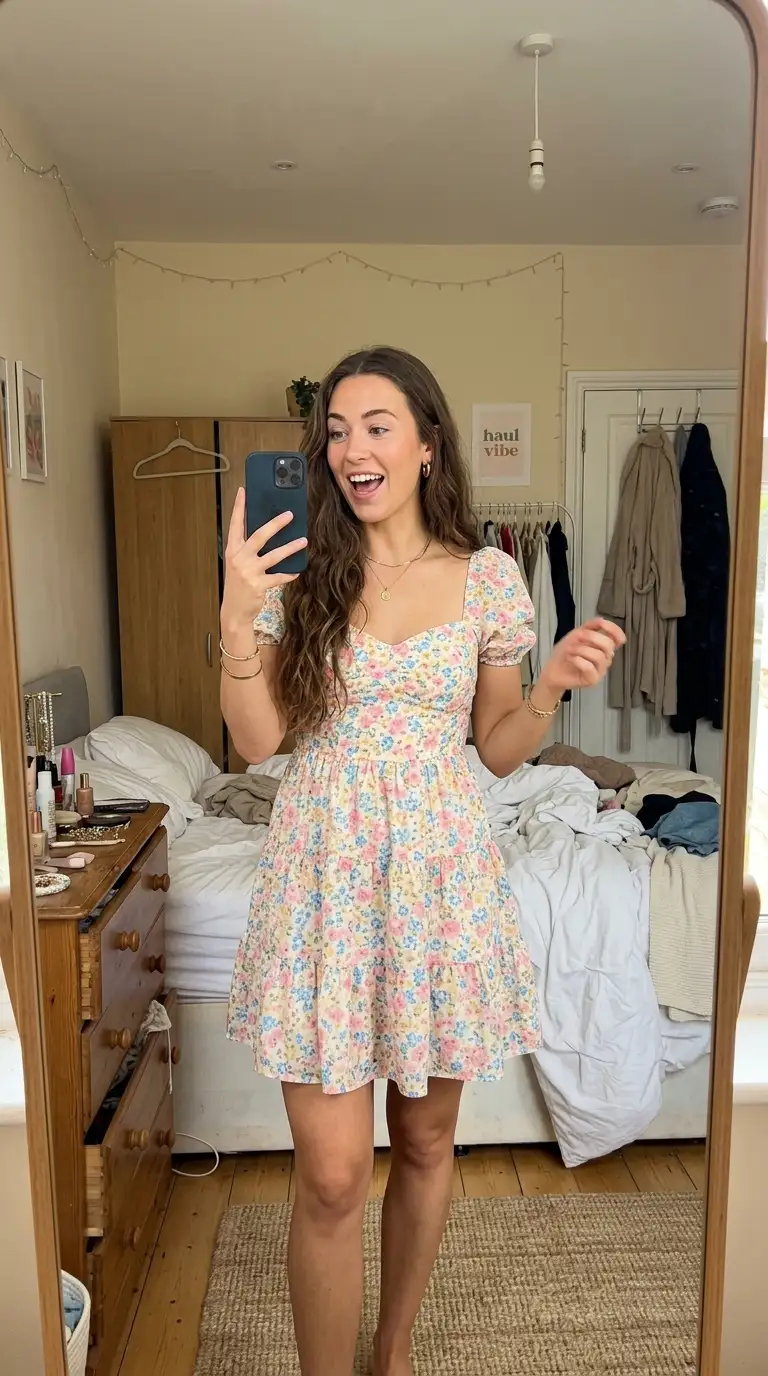
A vertical video still (9:16 aspect ratio) mimicking a casual smartphone mirror selfie for a social media clothing try-on haul. A young, pretty woman with long wavy hair is looking at her phone screen in the mirror with an excited, open-mouthed expression as if talking to her followers. She is wearing a cute, pastel floral tiered mini dress with a sweetheart neckline. She is holding a smartphone in one hand to take the video. The background is a typical, slightly messy bedroom with a white bed, beige walls, and a door. Bright, natural daylight, photorealistic, UGC TikTok influencer aesthetic.
Result
Why this works
It names the format first: a 9:16 smartphone mirror selfie. That one decision controls the framing, camera feel, environment, and social-media realism before the model starts inventing details.
Example 3: lifestyle influencer beauty ad
Prompt
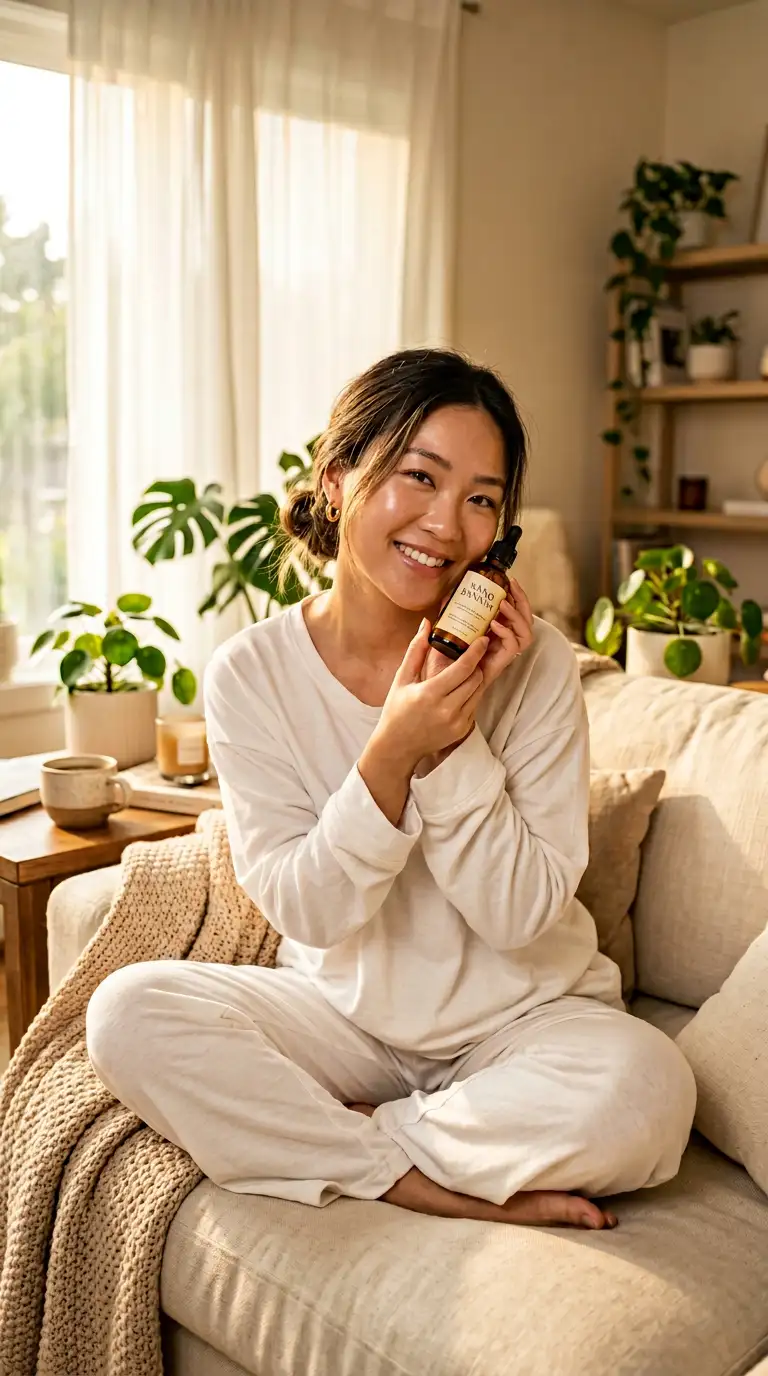
A radiant young Asian female influencer with dewy glass skin, soft natural makeup and loose messy bun, sitting cross-legged on a cozy cream linen couch in a warm aesthetic living room, gently holding a Nano Banana product close to her face with both hands, soft genuine smile, wearing an oversized white cotton pyjama set, morning golden sunlight pouring through sheer white curtains, cozy home details in background — knitted throw blanket, potted plants, wooden coffee table with a ceramic mug, blurred warm bokeh, product label sharp and front-facing, lifestyle influencer photography, ultra-realistic, shot on Sony A7R IV, 85mm f/1.4 lens, warm honey-toned color grading, soft shadows, Instagram beauty aesthetic, 8K
Result
Why this works
This prompt is long, but it earns the length. It anchors the person, product placement, room, lens, light, color grade, and the label requirement. "Product label sharp and front-facing" is the practical instruction that makes it usable for an ad.
Example 4: dramatic beverage splash
Prompt
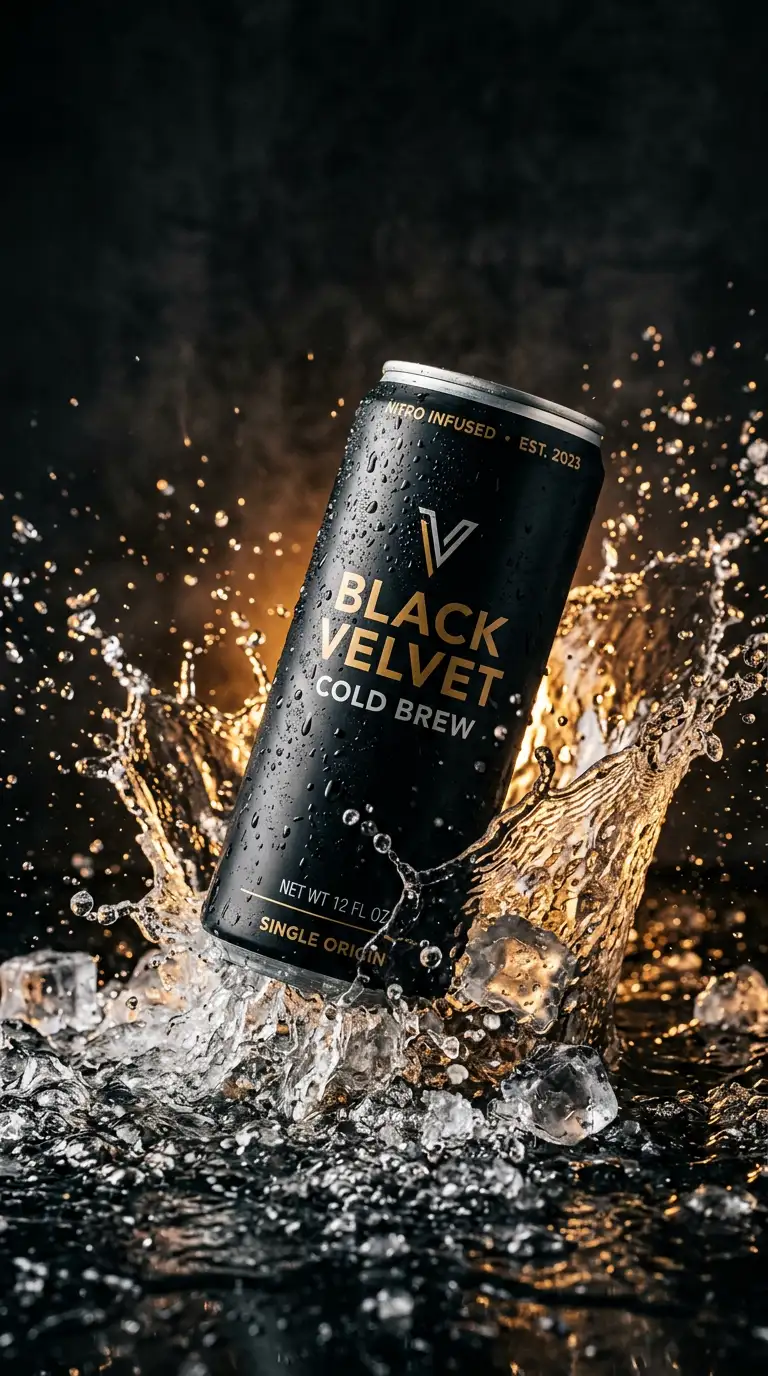
A dynamic product photography shot of a sleek, matte-black aluminum can of cold brew coffee splashing into a shallow pool of water and crushed ice. Dramatic studio lighting, dark moody background with a warm amber backlight piercing through the splash. Ultra-detailed condensation on the can, crisp focus, 9:16 aspect ratio.
Result
Why this works
It gives the model motion, material, lighting, and aspect ratio. Words like "matte-black aluminum", "crushed ice", "condensation", and "amber backlight" are concrete visual anchors.
Quick prompt recipes
Use these as starting points, then swap the subject and style.
Product photo
[product] on [surface], [brand mood], [lighting direction], [camera angle], [one texture detail], clean background, no hands, no extra products.
UGC fashion still
A vertical video still (9:16 aspect ratio) of [person] filming a mirror selfie try-on haul, wearing [outfit], [room details], natural daylight, casual UGC social media aesthetic.
Lifestyle influencer ad
[person] holding [product] in [home setting], [wardrobe], [lighting], product label sharp and front-facing, [camera/lens], [color grade], Instagram beauty aesthetic.
Beverage splash
[product] splashing into [liquid/ice/surface], [background mood], [backlight], crisp focus, visible texture, [aspect ratio].
What to avoid
- Do not open with style words. Start with the subject.
- Do not ask for ten moods at once. Pick one.
- Do not use "8k, masterpiece, ultra detailed" as a substitute for direction.
- Do not rely on the model to guess your layout. Say where the subject sits in the frame.
- Do not ask for text unless the text is short and you spell it exactly.
My default Nano Banana Pro template
[Main subject] for [use case]. [Scene and background]. [Lighting]. [Camera angle or lens]. [Important details to preserve]. [Things to avoid].
That template is boring on purpose. It leaves less room for the model to improvise in the wrong direction.